Our mission is to train a billion students.


Data Analytics Course by 16+ Exp Trainer with Project.
This Data Analytics course is designed to help students, job seekers, and working professionals develop strong skills in analyzing data and making smart business decisions using industry tools like Excel, SQL, Power BI and very powerful programming language Python and its Libraries. The program starts from the basics and gradually moves toward advanced analytics concepts so learners can confidently work on practical datasets.
In the foundation stage, learners understand how data works and how to prepare it for analysis using tools like Microsoft Excel. You will learn data cleaning, sorting, filtering, formulas, Pivot Tables, and dashboard basics that are widely used in office environments and reporting roles.
The course then introduces database handling using SQL, where students learn how to extract, manage, and analyze structured data efficiently. After that, learners explore data analysis and automation using Python, including working with datasets, performing analysis, and generating insights.
For visualization and business reporting, the training covers Power BI to create interactive dashboards and professional reports that help organizations understand trends and performance clearly.
Throughout the course, students work on practical assignments, case studies, and Live projects that build confidence and job-ready skills. By the end of the training, learners will be able to clean data, analyze large datasets, create dashboards, and present meaningful insights for decision-making.
This course is ideal for anyone planning a career in Data Analytics, MIS reporting, Business Intelligence, operations analysis, or roles where data-driven decision-making is important. It also builds a strong foundation for future learning in Machine Learning and Artificial Intelligence.
In Python you will learn Programming fundamentals
After learning core python we will go deep into python Libraries NumPy, Pandas, Matplotlib & Seaborn
In SQL Server you will learn how to write queries and filter data
In excel you will learn basic and advance like cleaning, filtering data and creating charts
In power bi you will learn how to clean and filter data using DAX and Power Query editor and how to create dashboards
In Generative AI you will learn how to create prompt and use ChatGPT and Gemini
Work on 3 to 5 Projects and upload on GitHub
| Duration | 6 Months |
| Mode | Online & Classroom |
| Slots | Weekdays & Weekends |
| Trainer | Tech Altum Founder with 16+ Experience, taught 5000+ students. |
| Task Sheets | Online tutorial and Youtube channel |
| Projects | 3 to 5 Live Projects |
| Eligibility | Any Graduate /B.Tech/ M.Tech/ MCA/ BCA |

Data Analytics, Data Science, AI & ML Mentor | Founder, Tech Altum | 16+ Years Exp | Author – Life Transformation in 10 Days
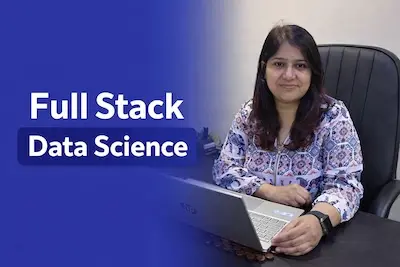
Full Stack Data Science with Data Analytics, Python with Libraries, AI and ML